
How to Use Nano Banana Pro for Ecommerce Product Photography (2026 Guide)
 AI-generated product photography with Nano Banana Pro: commercial-grade quality without the studio, photographer, or 10-day turnaround.
Last November, Alex launched a Shopify store selling handmade candles. He had 24 products. A photographer quoted $150 per product for lifestyle shots, totaling $3,600 for the initial catalog, with a 2-week turnaround. His launch budget was $500 total.
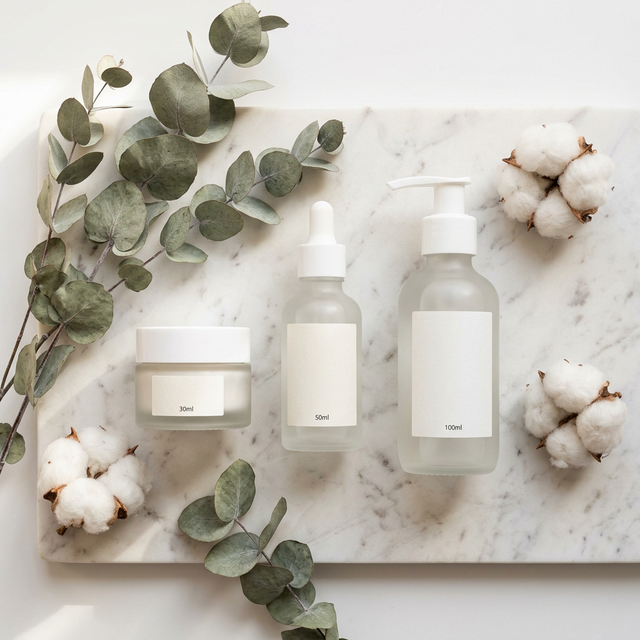
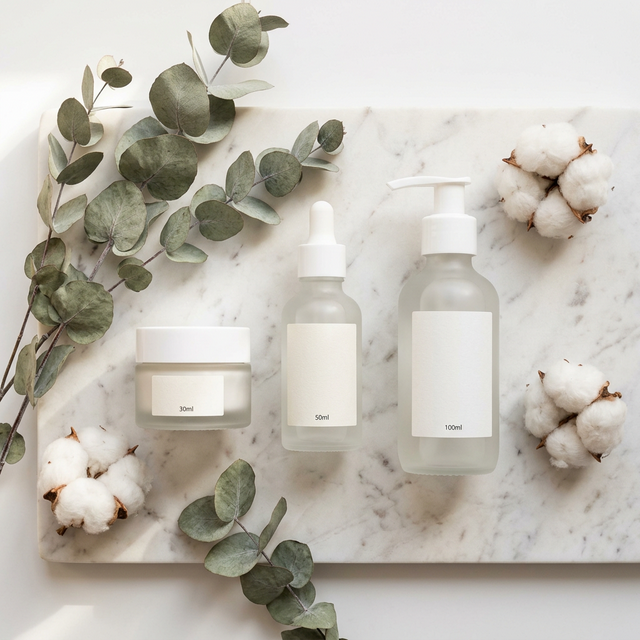
He opened Nano Banana Images, used a skincare flat-lay prompt from the Prompt Gallery, swapped in candle-specific details, and generated his entire 24-product catalog in one evening. Cost: under $30 in credits. Quality: good enough that his first customer asked which studio he used.
This is the new reality for AI product photography. It is not replacing professional photographers for every use case. But for product launches, MVP validation, seasonal refreshes, and any scenario where speed and budget matter more than absolute perfection, Nano Banana Pro delivers professional-grade results.
This guide gives you the exact prompts, workflows, and templates to generate production-ready ecommerce images.
Start now: Try the AI Generator free with 4 first-login credits + daily check-in rewards.
Why AI Product Photography Works for Ecommerce
The math is simple:
| Factor | Traditional Photography | Nano Banana Pro |
|---|---|---|
| Cost per product | $50-$300 | $0.50-$3.00 |
| Turnaround time | 3-14 days | Minutes |
| Seasonal refresh cost | Same as original | Fraction of original |
| A/B testing variants | $50+ per variant | Pennies per variant |
| Consistency across catalog | Depends on photographer | Controlled by prompts |
This does not mean AI replaces all product photography. High-end luxury brands, food photography requiring real cooking, and products where customers need exact color accuracy still benefit from traditional shoots.
But for the other 80% of ecommerce products, AI product photography is faster, cheaper, and often indistinguishable from studio shots.
5 Product Photography Templates (Copy-Paste Ready)
Template 1: Clean White Background (Amazon/Shopify Standard)
This is the bread-and-butter ecommerce image: product on clean white, no distractions.
Professional product photography of [YOUR PRODUCT] centered on a pure
white background. Soft, even studio lighting from above and sides with
no harsh shadows. Product is the only element in frame. Sharp focus
throughout. Clean, commercial photography aesthetic suitable for
Amazon or Shopify listings. Shot from a slight elevated angle at 15
degrees. 4K resolution.
Best settings: Resolution 4K, Aspect ratio 1:1 (square), Model: Nano Banana Pro
When to use: Primary product listing images on Amazon, Shopify, Etsy, or any marketplace that requires clean backgrounds.
Template 2: Lifestyle Flat Lay
Products arranged artfully with complementary props. Great for social media and premium listings.
Aerial flat lay product photography of [YOUR PRODUCT] on a [marble/
wood/linen] surface. Styled with [relevant props: dried flowers,
fabric swatches, natural elements]. Soft natural window lighting from
the upper left. Muted earth-tone color palette. Editorial lifestyle
aesthetic. Shot from directly above at 90 degrees. 4K resolution.
Best settings: Resolution 4K, Aspect ratio 4:5 (Instagram), Model: Nano Banana Pro or Nano Banana 2
Template 3: In-Use Lifestyle Scene
Show the product being used in a real-world context.
Candid lifestyle product photography showing [YOUR PRODUCT] being
used by a [describe person: young woman, professional man, etc] in
a [setting: modern kitchen, cozy living room, outdoor cafe]. Natural
soft lighting with warm tones. Shallow depth of field with product
in sharp focus and background softly blurred. Editorial magazine
aesthetic. Shot at eye level with a 50mm lens. 4K resolution.
Best settings: Resolution 4K, Aspect ratio 3:2 or 16:9, Model: Nano Banana Pro
Template 4: Seasonal/Promotional
Products styled for specific seasons, holidays, or campaigns.
Festive product photography of [YOUR PRODUCT] styled for [season/
holiday: Christmas, summer, Valentine's Day]. Surrounded by [seasonal
props: pine branches and snow, tropical leaves, rose petals]. Warm
[golden/cool/romantic] studio lighting with subtle bokeh highlights.
Premium advertising aesthetic. Product is the clear focal point.
4K resolution.
Best settings: Resolution 4K, Aspect ratio 1:1 or 4:5, Model: Nano Banana 2 (faster for seasonal batch refreshes)
Template 5: Multi-Angle Product Grid
Multiple views of the same product for comprehensive listings.
Professional product photography of [YOUR PRODUCT] showing [front
view / side profile / 45-degree angle / detail close-up]. Clean white
background. Even studio lighting. Consistent style across all views.
Product centered with equal padding on all sides. Commercial catalog
photography. 4K resolution.
Pro tip: Generate each angle separately using Nano Banana Pro for maximum consistency, then compose the grid in your image editor. Use the reference image feature (up to 14 images) to maintain object consistency across angles.
Step-by-Step Workflow
Step 1: Prepare Your Product Brief
Before you open the generator, write down:
- Product name and type (e.g., "artisan soy candle in a glass jar, 8oz")
- Key visual features (color, material, texture, size)
- Target platform (Amazon, Shopify, Instagram, etc.)
- Desired mood (premium, casual, luxury, playful)
- Required aspect ratio (1:1 for marketplaces, 4:5 for Instagram, 16:9 for web banners)
Step 2: Choose Your Template
Pick the template above that matches your use case. Replace the bracketed text with your specific product details.
Step 3: Generate at the Right Resolution
For marketplace listings (Amazon, Shopify), always generate at 4K for maximum flexibility. You can always downscale; you cannot upscale without losing quality.
For social media posts, 2K is usually sufficient and generates faster.
Step 4: Generate Variants
Here is where Nano Banana 2 shines. Use it to rapidly generate 10-15 variants of the same product with different:
- Lighting angles
- Background styles
- Prop arrangements
- Color temperatures
At 4-6 seconds per generation, exploring 15 variants takes under 90 seconds.
Step 5: Select and Polish
Pick your best 3-5 images. If needed, make minor adjustments:
- Crop to exact platform ratios
- Adjust brightness or contrast in your image editor
- Add your brand watermark or logo
Tamara, who runs a Depop vintage jewelry shop, built this workflow into her Monday routine. She photographs each new piece with her phone for reference, uploads it to Nano Banana as a reference image, and generates 5 styled lifestyle shots per product. "My listing views went up 40% after switching from phone photos to AI-generated lifestyle shots," she told us. "And I spend 20 minutes instead of 3 hours on photos every week."
Cost Breakdown: AI vs Traditional
For a 50-product ecommerce catalog with 3 images per product (150 total images):
| Cost Factor | Traditional Photography | Nano Banana Pro |
|---|---|---|
| Photographer | $2,500 - $7,500 | $0 |
| Studio rental | $500 - $1,500 | $0 |
| Props/styling | $200 - $500 | $0 |
| Post-production | $500 - $1,000 | $0 |
| Credits/subscription | $0 | $29 - $99/month |
| Total | $3,700 - $10,500 | $29 - $99 |
| Turnaround | 1-3 weeks | Same day |
| Seasonal refresh | Same cost again | Fraction of monthly plan |
The savings are not marginal. They are orders of magnitude different.
Start with 4 first-login credits + daily check-in rewards: Sign up here and generate your first product images today.
When to Still Use a Real Photographer
AI product photography is powerful, but it is not the right choice for every scenario:
- Food photography requiring real cooking, steam, and texture accuracy
- Luxury brands where customers expect and scrutinize pixel-level authenticity
- Products where exact color matching is critical (paint, fabric, cosmetics shade ranges)
- Lifestyle shots requiring real models for sizing or fit reference (apparel)
- User-generated content style (customers want to see real photos from real people)
For everything else, especially digital products, general consumer goods, home decor, accessories, cosmetics, and seasonal promotional imagery, AI product photography delivers.
FAQ
Can I use AI product images on Amazon?
Amazon allows AI-generated images as long as they accurately represent the product. Your main image must show the actual product; supplementary lifestyle images can be AI-generated. Always ensure your AI images match the actual product customers receive.
Will customers notice the images are AI-generated?
At 4K resolution with Nano Banana Pro, the image quality is comparable to professional studio photography. Most customers cannot distinguish between AI-generated and traditionally photographed product images on standard ecommerce platforms.
How do I maintain consistency across my catalog?
Use Nano Banana's reference image feature (up to 14 reference images per generation) to maintain consistent styling. Create one "hero" image first, then use it as a reference for all subsequent products. Keep your prompts templated with only the product description changing.
What about products I already have photos of?
Upload your existing product photos as reference images. Nano Banana can generate new scenes, backgrounds, and styling while keeping your actual product appearance consistent.
What's Next
- Generate now: AI Image Generator with 4 first-login credits + daily check-in rewards
- Copy prompts: 500+ Prompt Templates
- Learn the models: What Is Nano Banana 2? | Nano Banana 2 vs Pro
- Pricing: Plans and Pricing
AI product photography is not replacing photographers. It is making professional product imagery accessible to every ecommerce seller, regardless of budget or timeline. And with Nano Banana Pro, the quality gap between AI-generated and studio-shot product images is smaller than most people expect.
Start your product catalog today →
Results may vary by product type. Always verify that AI-generated images accurately represent your actual products.