Build a full campaign with a single Freepik Space
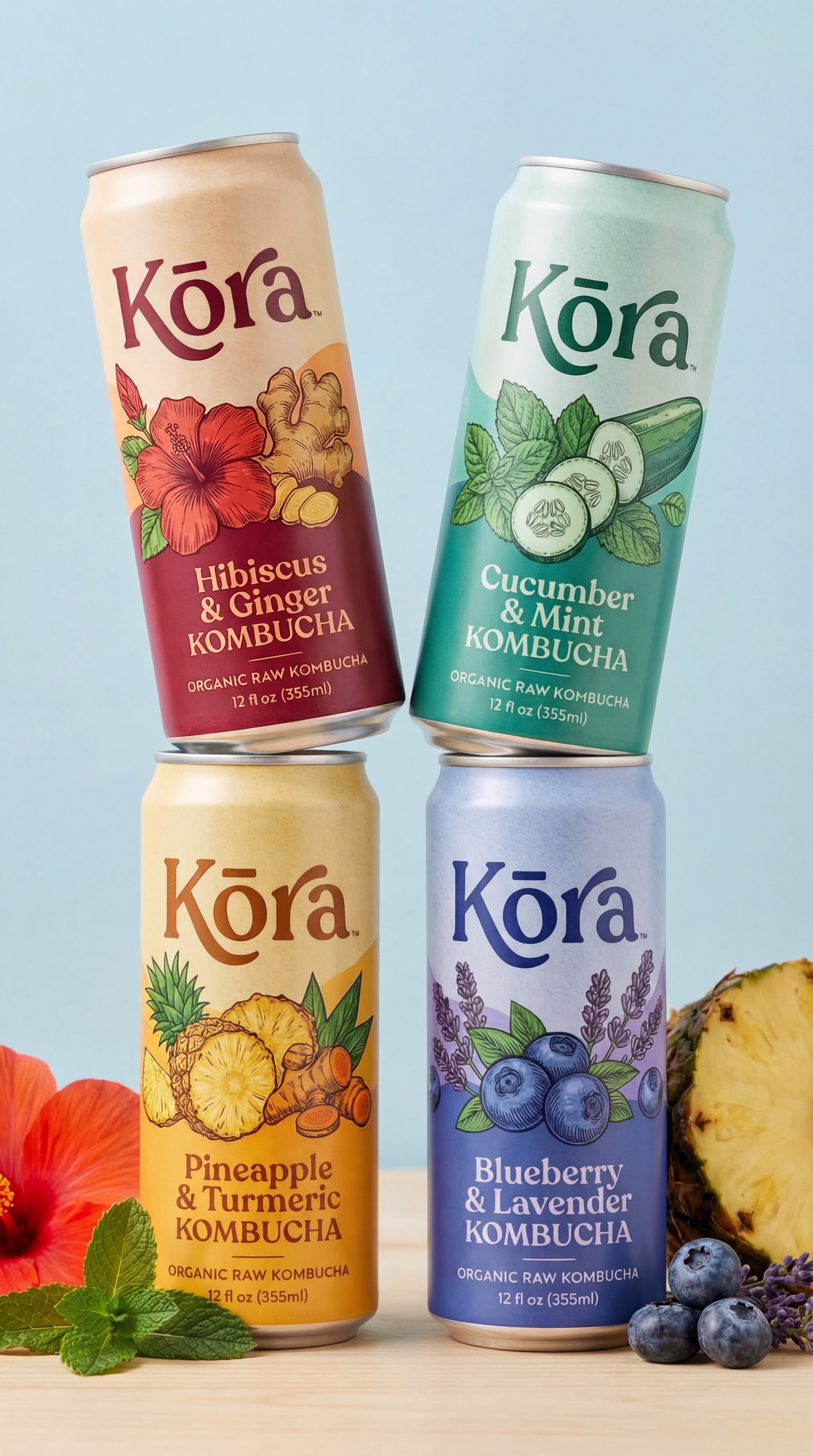
Studio product photography prompt for a kombucha launch campaign with four branded cans stacked on a wooden surface.
Test & Generate with GPT Image 2
Prompt tokens and APIMart GPT Image 2 are pre-loaded. Customize or click generate.
GPT Image 2 Generator
Build a full campaign with a single Freepik SpaceHow to Master & Adapt This Visual
Professional prompts rely on modular tokens. Use this recipe breakdown to swap subjects, control studio lighting, and eliminate common AI artifacts.
Prompt Variables Blueprint (What to Customize First)
Iterate on one variable group at a time to maintain stylistic consistency:
3 Style Recipes
Use the same two-by-two product arrangement for skincare, supplements, or canned coffee while preserving the clear studio hierarchy.
Keep the wood surface and studio light, but collapse the lineup into one dominant can with three supporting flavor cues.
Preserve the clean packaging read and product spacing, then layer in one seasonal prop system at a time.
Production Quality Guide: Best Use vs. Pitfalls
- •Beverage launch visuals and flavor-line expansion concepts.
- •Studio packshots where multiple cans or variants need to read cleanly in one frame.
- •Commercial still-life layouts that need packaging color contrast without clutter.
- ✓Use 3:4 on the first run, then test alternate crops after the base composition is working.
- ✓Lock the environment before fine styling changes: Professional studio photography of four slim aluminum cans of Kora Organic Raw Kombucha stacked in a...
- !Changing product shape, label treatment, and scene styling in one pass.
- !Letting props compete with the hero product before the packshot itself is resolved.
- !Ignoring surface reflections or material cues, which usually carry the premium feel in product prompts.
- ✕Skip if: You need loose lifestyle storytelling rather than controlled product hierarchy.
- ✕Skip if: You plan to introduce text-heavy branding before the packaging and light setup are working.
- ✕Skip if: You want spontaneous human motion instead of a carefully staged commercial object shot.
Technical Analysis & How This Prompt Works
Technical Analysis & How This Prompt Works
Studio product photography prompt for a kombucha launch campaign with four branded cans stacked on a wooden surface. Best in 3:4. Ready for text-to-image...
Keep the base prompt intact for the first run, then iterate on one variable at a time so the composition stays stable. Keep the generator on 3:4 for the closest match. The mood is anchored by professional studio photography of four slim aluminum cans of kora organic raw kombucha stacked in a...
This is a practical commercial page because it already thinks in campaign terms: multiple SKUs, clear packaging hierarchy, and a repeatable studio base.
Explore Related Curated Categories
More Visual Inspirations
Explore prompts sharing similar aesthetic tokens and composition