Fluffy 3D Space Float
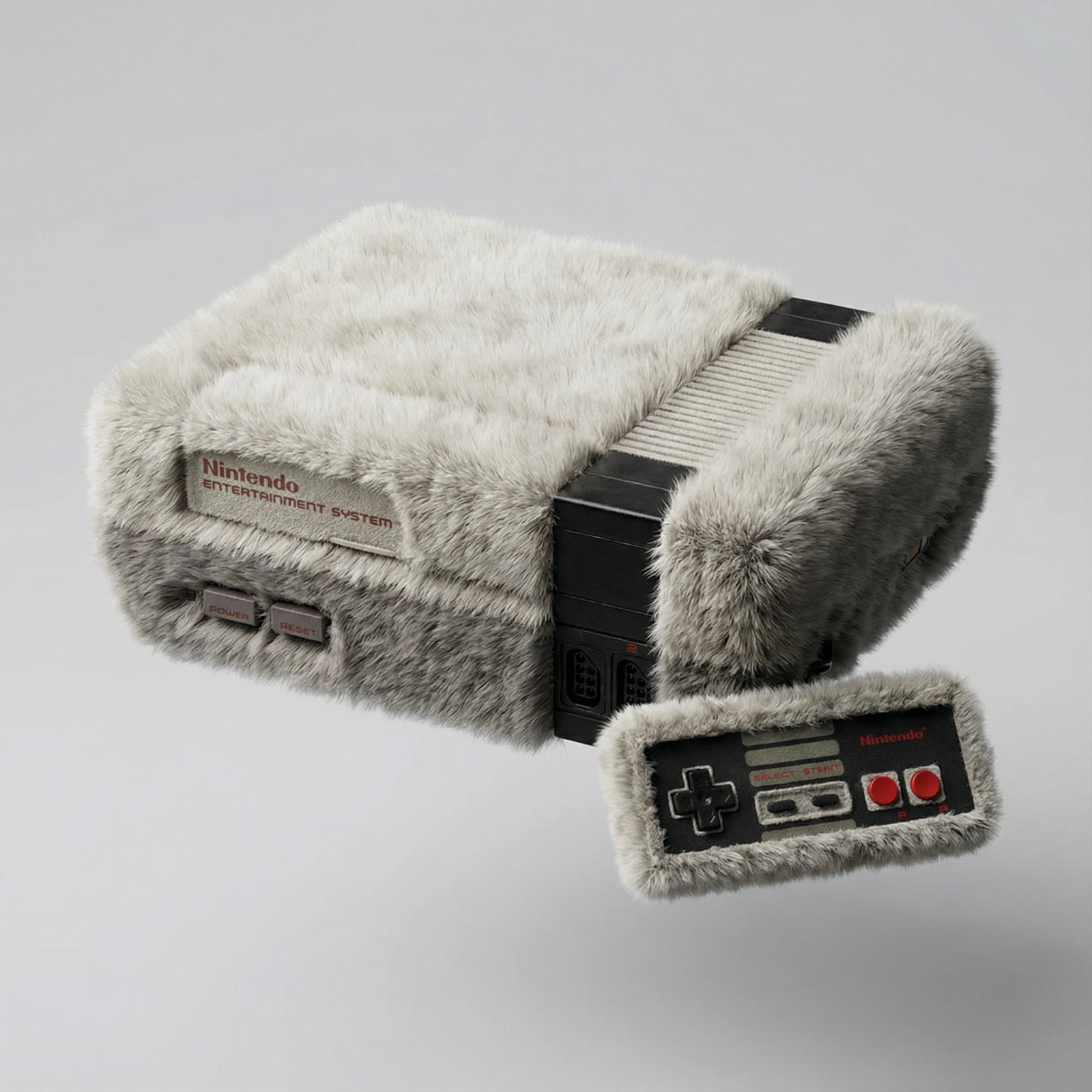
Transform attached product into a soft, 3D fluffy object. The shape is fully covered in fur, with hyperrealistic hair texture and soft shadows.
Test & Generate with GPT Image 2
Prompt tokens and APIMart GPT Image 2 are pre-loaded. Customize or click generate.
GPT Image 2 Generator
Fluffy 3D Space FloatHow to Master & Adapt This Visual
Professional prompts rely on modular tokens. Use this recipe breakdown to swap subjects, control studio lighting, and eliminate common AI artifacts.
Prompt Variables Blueprint (What to Customize First)
Iterate on one variable group at a time to maintain stylistic consistency:
3 Style Recipes
Keep the same object transformation logic, but move from fluffy fur to velvet, foam, or plush knit texture.
Preserve the tactile transformation structure and apply it to another clean product silhouette.
Keep the soft-object hero stable, then introduce cleaner backdrop and color direction for a product-campaign feel.
Production Quality Guide: Best Use vs. Pitfalls
- •Soft-material product remixes, tactile concept art, and playful 3D brand experiments.
- •Before-and-after transformation prompts where the base object must stay recognizable.
- •Cute, surreal object studies that depend on believable fur texture and volume.
- ✓Start with a sharp reference image. This prompt is written to preserve source identity, silhouette, or product structure before stylization.
- ✓Use 1:1 on the first run, then test alternate crops after the base composition is working.
- ✓Lock the environment before fine styling changes: The object is centered on a clean, light gray background and floats gently in space.
- !Rewriting geometry and materials together, which makes it hard to preserve the scene structure.
- !Switching from isometric or miniature framing to a natural lens without rewriting the camera logic.
- !Adding too many surface effects before the core silhouette reads cleanly.
- ✕Skip if: You want loose handheld realism rather than deliberate render-like geometry.
- ✕Skip if: You need a documentary photo feel with imperfect camera behavior.
- ✕Skip if: You are not willing to keep camera angle and object proportions stable during early iterations.
Technical Analysis & How This Prompt Works
Technical Analysis & How This Prompt Works
Transform attached product into a soft, 3D fluffy object. The shape is fully covered in fur, with hyperrealistic hair texture and soft shadows. Best in...
Use a clean reference image with obvious subject edges and readable facial or product details before you start changing the styling. Keep the generator on 1:1 for the closest match. The mood is anchored by the object is centered on a clean, light gray background and floats gently in space.
This prompt is useful because it is built around one tactile transformation. The page performs best when the fluffy material system remains the main event.
Explore Related Curated Categories
Product Photography
Professional AI prompts for product photography, white background shots, e-commerce listings, and commercial product visuals. Create stunning product images with AI.
Portraits & Headshots
AI prompts for professional portraits, corporate headshots, character portraits, and profile pictures. Perfect for LinkedIn, business profiles, and personal branding.
Fashion Editorial
High-fashion AI prompts for editorial photography, magazine covers, fashion campaigns, and style shoots. Create Vogue-worthy fashion visuals with AI.
More Visual Inspirations
Explore prompts sharing similar aesthetic tokens and composition