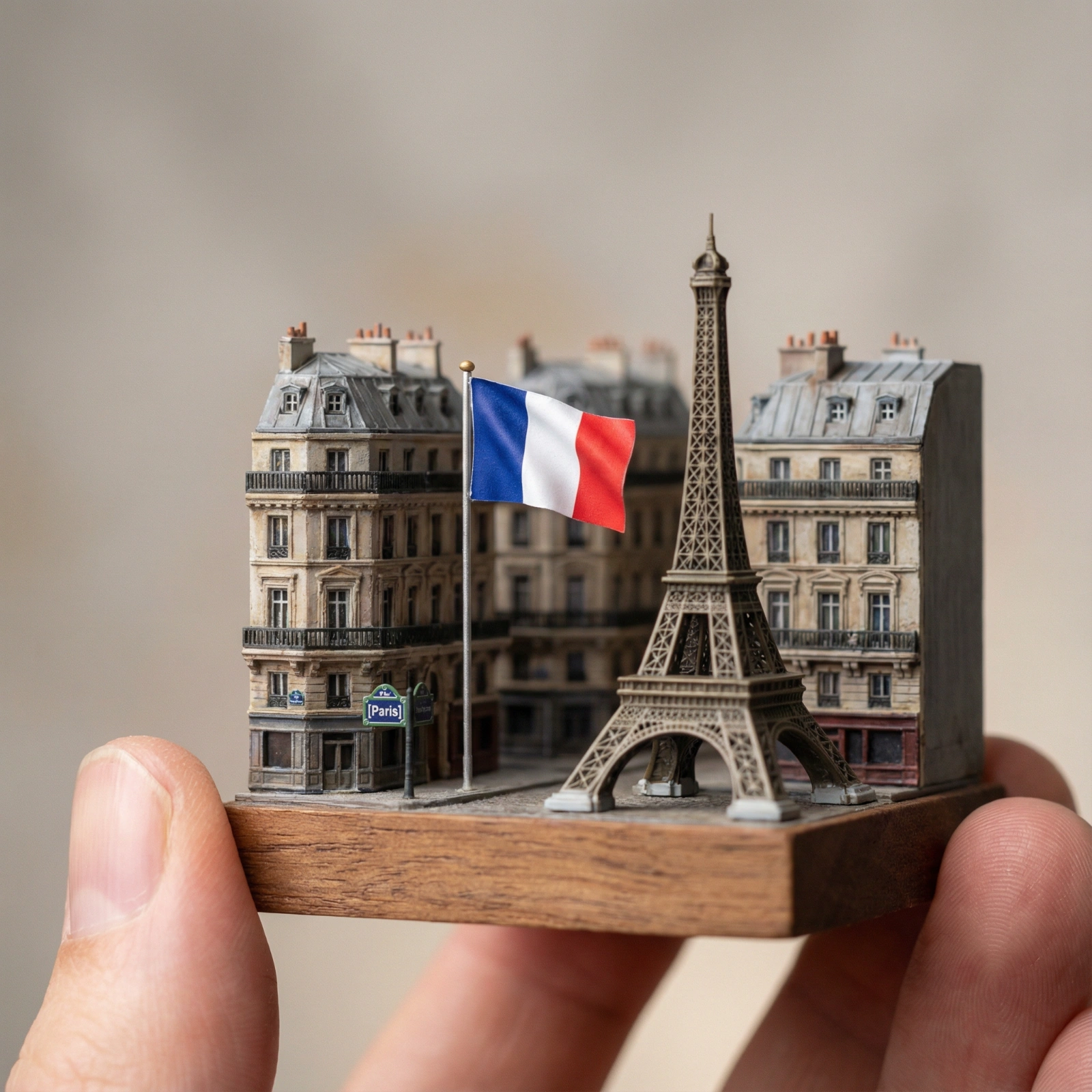
Macro Mini Paris Diorama
Copy this Nano Banana Pro text-to-image prompt to create product visuals in studio setups with photorealistic detail and cinematic lighting. Best in 1:1...
Test & Generate with GPT Image 2
Prompt tokens and APIMart GPT Image 2 are pre-loaded. Customize or click generate.
GPT Image 2 Generator
Macro Mini Paris DioramaHow to Master & Adapt This Visual
Professional prompts rely on modular tokens. Use this recipe breakdown to swap subjects, control studio lighting, and eliminate common AI artifacts.
Prompt Variables Blueprint (What to Customize First)
Iterate on one variable group at a time to maintain stylistic consistency:
3 Style Recipes
Keep the finger-held macro framing, but replace Paris landmarks with another city while preserving the miniature souvenir logic.
Preserve the tiny diorama scale cue, then push the base, materials, and landmark finishes toward collector-grade polish.
Keep the macro city model structure, but add one travel-poster or destination-souvenir influence at a time.
Production Quality Guide: Best Use vs. Pitfalls
- •Travel-themed miniatures and collectible souvenir concepts.
- •Macro diorama prompts where real-world scale contrast is part of the charm.
- •Detailed city miniatures that need a premium handcrafted feel.
- ✓The prompt body explicitly asks for 1:1, so the page now prioritizes 1:1 over generic fallback settings.
- ✓Lock the environment before fine styling changes: Soft studio lighting, subtle shadows, tilt-shift realism.
- !Rewriting geometry and materials together, which makes it hard to preserve the scene structure.
- !Switching from isometric or miniature framing to a natural lens without rewriting the camera logic.
- !Adding too many surface effects before the core silhouette reads cleanly.
- ✕Skip if: You want loose handheld realism rather than deliberate render-like geometry.
- ✕Skip if: You need a documentary photo feel with imperfect camera behavior.
- ✕Skip if: You are not willing to keep camera angle and object proportions stable during early iterations.
Technical Analysis & How This Prompt Works
Technical Analysis & How This Prompt Works
Copy this Nano Banana Pro text-to-image prompt to create product visuals in studio setups with photorealistic detail and cinematic lighting. Best in 1:1......
Keep the base prompt intact for the first run, then iterate on one variable at a time so the composition stays stable. Keep the generator on 1:1 for the closest match. The mood is anchored by soft studio lighting, subtle shadows, tilt-shift realism.
The strength here is the finger-held miniature scale cue. It instantly tells the viewer how to read the scene, which makes the diorama feel crafted rather than generic.
Explore Related Curated Categories
Product Photography
Professional AI prompts for product photography, white background shots, e-commerce listings, and commercial product visuals. Create stunning product images with AI.
Portraits & Headshots
AI prompts for professional portraits, corporate headshots, character portraits, and profile pictures. Perfect for LinkedIn, business profiles, and personal branding.
Fashion Editorial
High-fashion AI prompts for editorial photography, magazine covers, fashion campaigns, and style shoots. Create Vogue-worthy fashion visuals with AI.
More Visual Inspirations
Explore prompts sharing similar aesthetic tokens and composition