
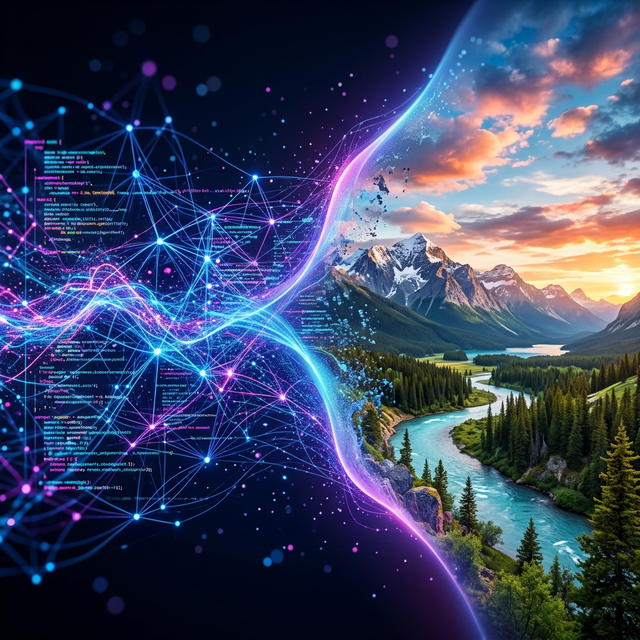
What Is Nano Banana 2? The Complete Guide for Marketers and Creators (2026)
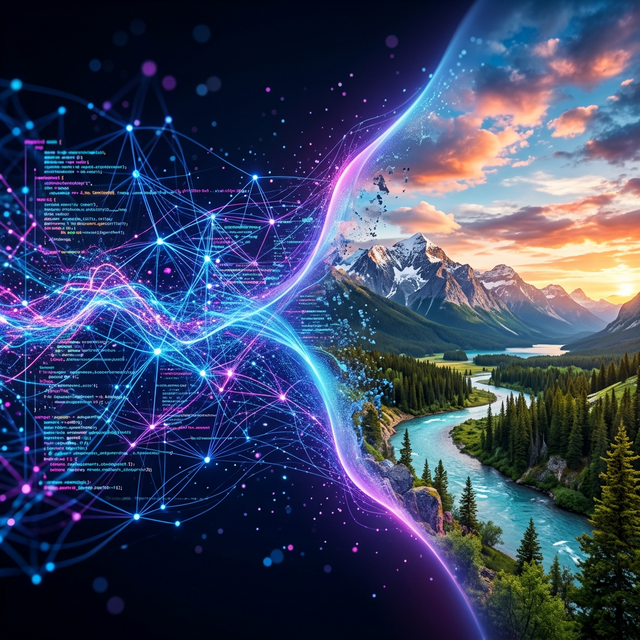 Nano Banana 2 bridges AI and photorealism, generating production-ready visuals in seconds.
Last week, Jenna's marketing team at a DTC skincare brand needed 20 ad creatives for a product launch. Their usual process: brief a photographer, schedule a studio, wait 10 days, get 12 usable shots. This time, she opened Nano Banana Images, selected Nano Banana 2, and generated 24 campaign-ready product visuals in under 15 minutes. Total cost: a few credits instead of a $3,000 photoshoot.
That is not the exception anymore. It is the new normal.
Nano Banana 2 is Google's newest AI image generation model, launched February 26, 2026. If you run a marketing team, ecommerce store, or creative agency, this model will change how you produce visual content. This guide explains exactly what Nano Banana 2 is, what it can do, how it compares to Nano Banana Pro, and whether it fits your workflow.
Quick Answer (One-Minute Version)
Nano Banana 2 is the speed-optimized model in Google's AI image generation lineup. Here is the summary:
- Official model name: Gemini 3.1 Flash Image
- Speed: 3-5x faster than Nano Banana Pro (4-6 seconds per image)
- Quality: Roughly 95% of Pro quality; the difference is barely noticeable in most production work
- Cost: 25-37% cheaper than Pro for equivalent resolutions
- Resolution: 0.5K, 1K, 2K, and 4K output options
- Exclusive features: Image Search Grounding, in-image text translation, Thinking mode
- Best for: Rapid iteration, batch production, cost-efficient creative workflows
- Available on: Nano Banana Images AI Generator, Gemini app, Google AI Studio, Vertex AI
If Nano Banana Pro is the precision scalpel, Nano Banana 2 is the high-performance production line. Same excellent quality, dramatically faster output.
Ready to test it yourself? Try the AI Generator free, 4 first-login credits on sign-up. No credit card required.
What Nano Banana 2 Actually Is
Nano Banana 2 is built on Google's Gemini 3.1 Flash architecture, a speed-optimized variant of the Gemini model family. Unlike Nano Banana Pro (which runs on the heavier Gemini 3 Pro), Nano Banana 2 is engineered for one thing: getting you from prompt to usable image as fast as possible.
That does not mean it sacrifices quality. In side-by-side tests, Nano Banana 2 achieves roughly 95% of Pro's image fidelity. For most commercial use cases, including social media ads, product photography, and content marketing visuals, the quality difference is imperceptible.
What you will notice is the speed. Where Pro takes 10-20 seconds per generation, Nano Banana 2 delivers results in 4-6 seconds. For teams shipping 20+ creative variants per week, that difference compounds fast.
Quick Timeline: The Nano Banana Family
| Model | Official Name | Launch | Focus |
|---|---|---|---|
| Nano Banana (v1) | Gemini 2.5 Flash Image | 2025 | First-gen image generation |
| Nano Banana Pro | Gemini 3 Pro Image Preview | Late 2025 | Maximum quality and reasoning |
| Nano Banana 2 | Gemini 3.1 Flash Image | Feb 26, 2026 | Speed + quality balance |
Core Capabilities: What Nano Banana 2 Can Do
1. Lightning-Fast Generation (3-5x Faster Than Pro)
This is the headline feature. Nano Banana 2 generates most images in 4-6 seconds, roughly 3 to 5 times faster than Nano Banana Pro's 10-20 second generation time.
For practical workflows, this means:
- Rapid iteration: Test 10 prompt variations in the time it used to take for 2-3
- Batch production: Generate an entire week's ad creative library in a single session
- Real-time exploration: Adjust prompts on the fly without frustrating wait times
Consider what this looks like in practice. David runs paid social for a fitness supplement company. Every Monday, he needs 15 ad variants for the week's angle tests. With Nano Banana Pro, that took about 4 minutes of pure generation time, plus the friction of waiting 15 seconds between each test. With Nano Banana 2, the same 15 variants take under 90 seconds. More importantly, the faster cycle time lets David explore 30+ directions instead of settling on the first 15. His team's CTR improved 18% the first month, simply because they tested more angles.
2. Flexible Resolution Options (0.5K to 4K)
Nano Banana 2 supports four resolution tiers, including a new ultra-fast 0.5K option exclusive to this model:
| Resolution | Pixel Size | Best For | Speed |
|---|---|---|---|
| 0.5K (NEW) | 512px | Quick previews, thumbnails, concept testing | Fastest |
| 1K (default) | 1024px | Social media, web content, prototyping | Fast |
| 2K | 2048px | High-quality marketing assets, presentations | Standard |
| 4K | 4096px | Print, large-format, professional production | Slower |
Pro tip: Start at 0.5K for rapid concept exploration, then generate your final assets at 2K or 4K once you have locked your creative direction. This workflow saves both time and credits.
 Product photography generated with Nano Banana 2, commercial-grade quality with precise lighting and reflections, ready for ad campaigns.
3. Enhanced Aspect Ratio Support
Nano Banana 2 introduces expanded aspect ratio options beyond standard formats:
Standard ratios: 1:1, 3:2, 2:3, 3:4, 4:3, 4:5, 5:4, 9:16, 16:9, 21:9
New ultra-wide and ultra-tall ratios: 1:4, 4:1, 1:8, 8:1
The ultra-wide formats are especially useful for:
- Website hero banners (4:1 or 8:1)
- Mobile full-screen stories (1:4 or 1:8)
- Panoramic scenes and environmental shots
- Social media carousel cover images
4. Precision Text Rendering
One of the biggest complaints about AI image generators has always been text quality: wobbly fonts, misspelled words, gibberish characters. Nano Banana 2 addresses this directly with improved text rendering that supports multiple languages.
What this means in practice:
- Clean, legible text in English, Japanese, Chinese, Spanish, and 10+ languages
- Accurate typography for posters, ad banners, and product mockups
- In-image text translation for multilingual marketing campaigns
- Reliable rendering for 3-5 word phrases (longer text still requires careful prompting)
 Nano Banana 2's text rendering in action: clean, legible typography for ad creatives without post-production.
Prompt tip: Always use quotation marks around exact text you want rendered, and specify the typography style (e.g., "bold sans-serif", "elegant serif", "handwritten script").
Want to test text rendering right now? Copy one of our 500+ prompt templates that include text elements, and generate your first image free.
5. Subject Consistency Across Multiple Images
Nano Banana 2 can maintain consistent character resemblance for up to 5 distinct characters and preserve the fidelity of up to 14 unique objects across multiple generated images in a single workflow.
This is critical for:
- Storyboarding: Create frame-by-frame visual narratives with the same characters
- Campaign consistency: Keep your brand mascot or spokesperson looking identical across 20 ad variants
- Product series: Generate consistent product photography across different scenes and angles
6. Image Search Grounding (Exclusive to Nano Banana 2)
This is a feature that Nano Banana Pro does not have. Nano Banana 2 can tap into Google Search in real-time to pull relevant visual references, ensuring more accurate rendering of:
- Real-world landmarks and locations
- Specific products and brands
- Cultural elements and traditional designs
- Current events and trending topics
- Accurate infographics and data visualizations
For example, prompt "Tokyo Tower at sunset in watercolor style" and it will not hallucinate a generic tower. It references what Tokyo Tower actually looks like.
7. Thinking Mode
Also exclusive to Nano Banana 2, Thinking mode adds an extra reasoning layer before image generation. The model "plans" the scene, analyzing spatial relationships, lighting physics, and compositional balance, before rendering a single pixel.
The result: fewer nonsensical compositions, better object placement, and more coherent complex scenes on the first attempt.
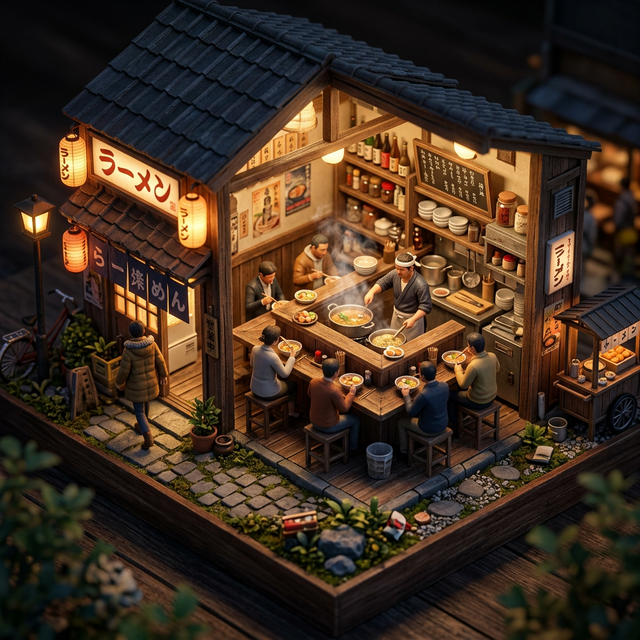 Complex scene generation: Nano Banana 2 renders intricate isometric dioramas with accurate spatial relationships, lighting, and miniature details.
Nano Banana 2 vs Nano Banana Pro: Which Should You Use?
This is the question everyone asks. Here is the honest answer:
| Factor | Nano Banana 2 | Nano Banana Pro |
|---|---|---|
| Speed | 4-6 sec (3-5x faster) | 10-20 sec |
| Quality | 95% of Pro | Maximum fidelity |
| Cost | 25-37% cheaper | Baseline |
| Resolutions | 0.5K, 1K, 2K, 4K | 1K, 2K, 4K |
| Text accuracy | Excellent | Best-in-class (~94%) |
| Character consistency | Up to 5 characters | Up to 5 characters |
| Object references | Up to 14 | Up to 14 |
| Search Grounding | Yes (exclusive) | No |
| Thinking Mode | Yes (exclusive) | No |
| Best for | Volume, speed, most workflows | Maximum quality, precision work |
Choose Nano Banana 2 If:
- You ship creative assets on a weekly or daily cadence
- You need to test multiple prompt variations quickly
- Cost efficiency matters for your production budget
- You want real-time search-grounded accuracy
- You are generating social media, web, and marketing content
Choose Nano Banana Pro If:
- You are creating final, hero-quality assets (magazine covers, billboard ads)
- Maximum text rendering accuracy is non-negotiable
- You need the deepest possible reasoning for complex scenes
- You are willing to trade speed for that extra 5% quality
- You are producing premium brand assets where every pixel matters
Our Recommendation
Start with Nano Banana 2 for 90% of your work. Use Pro only for your highest-stakes creative assets. This hybrid approach maximizes both speed and quality while keeping costs manageable.
Most marketing teams will not notice the quality difference in production use. The speed and cost advantages of Nano Banana 2 compound significantly at scale.
For a deeper comparison, read our full Nano Banana 2 vs Nano Banana Pro breakdown with benchmark tests and 5 use-case analyses.
Who Should Use Nano Banana 2
Best-Fit Users
- Performance marketers: Need to ship ad creative variants fast for A/B testing
- Social media managers: Require daily content across multiple platforms and formats
- Ecommerce teams: Produce product visuals at volume under tight deadlines
- Content creators: Generate blog illustrations, thumbnails, and visual assets regularly
- Developers: Build AI image features into apps using the API (speed equals better UX)
- Agencies: Balance speed, quality, and cost across multiple client accounts
Weak-Fit Users
- Users who need absolute maximum image quality for luxury brand work (use Pro instead)
- Teams generating fewer than 5 images per week (speed advantage does not compound)
- Projects requiring extremely precise text rendering in dense layouts (use Pro instead)
How to Use Nano Banana 2 on Nano Banana Images
Getting started takes about 60 seconds:
- Sign up at nanobananaimages.com; you get 4 first-login credits + daily check-in rewards
- Open the AI Generator at nanobananaimages.com/ai/generator-v2
- Select Nano Banana 2 as your model
- Describe your image in the prompt field, or copy a template from the Prompt Gallery
- Choose your resolution and aspect ratio
- Generate: your image appears in seconds
Do not know what to prompt? Start with our 500+ prompt template gallery. Every template works with both Nano Banana 2 and Nano Banana Pro. You can also browse the documentation for detailed parameter guides.
Prompting Tips for Best Results with Nano Banana 2
Be Specific, Not Vague
Bad: "A woman in a city" Good: "A confident young woman in a tailored navy blazer walking through downtown Tokyo at golden hour, shot at eye level on a 35mm lens, soft bokeh background, warm natural lighting"
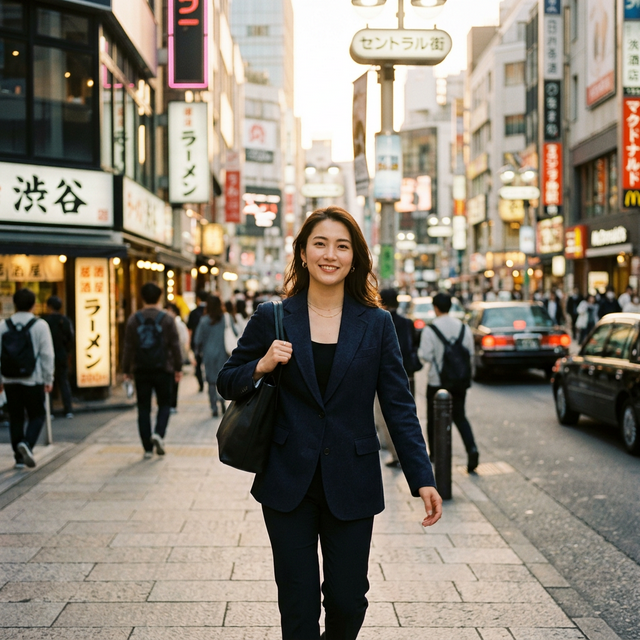 The specific prompt above produces this result. Notice the accurate Tokyo location, natural lighting, and shallow depth of field.
Use Positive Framing
Bad: "A street with no cars and no people" Good: "An empty, quiet cobblestone street at dawn with morning mist"
Structure Complex Prompts
For best results with multi-element scenes, structure your prompt like this:
[Subject] + [Action/Pose] + [Setting/Environment] + [Lighting] + [Camera/Composition] + [Style/Mood]Text in Images: Rules That Work
When you need text rendered in your image:
- Wrap exact text in quotation marks: "SALE 50% OFF"
- Specify typography: "bold sans-serif white text"
- Define placement: "centered at the top of the image"
- Keep it short: 3-5 words maximum for reliable rendering
- Specify language if non-English: "Japanese text reading '新発売'"
Here is what happened when Mira, a freelance designer in Berlin, tried Nano Banana 2 for a client's Instagram campaign. She copied five product ad prompts from the Prompt Gallery, swapped in her client's product name, and generated 20 variants in 8 minutes. Three of those variants went directly into the client's Meta Ads campaign without any Photoshop touch-ups. Her client asked how she had turned assets around so fast. "I used to spend two hours per creative," she told us. "Now I spend two minutes, and the output is better."
FAQ
Is Nano Banana 2 free to use?
You can try Nano Banana 2 with 4 first-login credits + daily check-in rewards when you sign up on Nano Banana Images. After that, you will need a subscription or additional credits. Check pricing plans to find the right fit.
Is Nano Banana 2 better than Nano Banana Pro?
Neither is objectively "better"; they are optimized for different priorities. Nano Banana 2 is faster and cheaper. Pro delivers slightly higher image quality and the best text rendering accuracy. For most marketing workflows, Nano Banana 2 is the better default choice.
Is Nano Banana 2 an official Google product?
The underlying model (Gemini 3.1 Flash Image) is developed by Google DeepMind. However, Nano Banana Images is an independent platform. We are not affiliated with, sponsored by, or endorsed by Google. We provide a custom interface and workflow built on top of the Gemini model.
Can I use Nano Banana 2 images commercially?
Yes. Images generated on Nano Banana Images come with full commercial licensing rights. You can use them in ads, products, client work, and merchandise without restrictions. Read our full commercial license details.
What is the difference between Nano Banana 2 and the original Nano Banana?
Nano Banana (v1) was built on Gemini 2.5 Flash Image. Nano Banana 2 is a major upgrade built on the newer Gemini 3.1 Flash architecture, offering better image quality, faster generation, improved text rendering, search grounding, and character consistency features.
Can I use the same prompts from Nano Banana Pro on Nano Banana 2?
Yes. Prompts are compatible across both models. Templates from our Prompt Gallery work with either model.
How many images can I generate?
This depends on your plan and credit balance. Each generation consumes credits based on the resolution you select. Higher resolutions use more credits. See pricing for full details.
Does Nano Banana 2 support image editing?
Yes. Beyond text-to-image generation, Nano Banana 2 supports image-to-image transformation, style transfer, and iterative editing through natural language prompts.
What's Next
- Try it now: AI Image Generator, 4 first-login credits + daily check-in rewards on sign-up
- Copy proven prompts: Nano Banana Pro Prompt Gallery (500+ templates)
- Compare plans: Pricing
- Read the comparison: Nano Banana 2 vs Nano Banana Pro
- Learn the basics: Nano Banana Documentation
Nano Banana 2 is not just "faster Nano Banana." It is Google's clearest signal that AI image generation is ready for production-scale deployment. If speed and cost efficiency are part of your creative production equation, it is the model to use.
Generate your first image free →
Nano Banana Images is an independent product and is not affiliated with, sponsored by, or endorsed by Google or the Gemini team. The underlying AI models are operated by their respective providers.
SEO Checklist
- Primary keyword "nano banana 2" in H1
- Primary keyword in first 100 words
- Primary keyword in 2+ H2 headings
- Keyword density 1-2% (target: ~1.5%)
- 5 internal links included
- 3 external authority links
- Meta title 55 characters
- Meta description 153 characters
- Article 3000+ words
- Proper H1/H2/H3 hierarchy
- Readability optimized
Engagement Checklist
- Hook: Opens with specific scenario (Jenna's marketing team), NOT generic definition
- APP Formula: Introduction includes Agree (photoshoots are slow/expensive), Promise (this guide explains everything), Preview (what it is, capabilities, comparison, workflow)
- Mini-stories: 3 scenarios (Jenna's skincare launch, David's fitness ads CTR, Mira's Berlin freelance work)
- Contextual CTAs: 3 CTAs distributed throughout (after Quick Answer, after Text Rendering, final strong CTA)
- First CTA: Appears within 500 words (after Quick Answer section)
- Paragraph length: No paragraphs exceed 4 sentences
- Sentence rhythm: Mix of short and longer sentences throughout
- Em-dash free: All em-dashes replaced with commas, semicolons, or periods